Best CNC Woodworking Projects for Beginners: What Can You Make with a Desktop CNC?
Intro
Quick Answer
A desktop CNC can turn wood into engraved signs, relief carvings, home decor, toys, gifts, and small functional parts. Below are 9 beginner-friendly cnc wood projects organized by difficulty, with recommended wood types and common bits — so you can decide which one to start with in under 10 seconds.
What Can You Make with a Desktop CNC? 7 Woodworking Categories
To quickly understand what a desktop CNC can do, start with the 7-category map below, then pick a specific project. These cover the most common cnc woodworking projects and cnc wood router projects for beginners.
| Category | Example Projects | Beginner Difficulty | Common Bits | Best Beginner Woods | Example Build (Link) |
|---|---|---|---|---|---|
| Wooden Signs | Door signs, welcome signs, shop signs, nameplates | ★☆☆ | V-bit, end mill (flat) | Birch plywood, pine, basswood | CNC Wedding Names Sign |
| Relief Carvings | Relief panels, textured décor blocks, shallow relief designs | ★★☆–★★★ | Ball nose bit, end mill (flat) | Basswood, walnut (more stable) | Easel Relief Carving |
| Home Decor | Wall panels, trays, decorative box lids | ★★☆ | End mill (flat), roundover bit / ball nose bit | Birch plywood, hard maple | CNC Wood Art |
| Toys & Puzzles | Profile-cut puzzles, inlay blocks, alphabet puzzles | ★★☆ | Small-diameter end mill (flat) | Plywood (more consistent strength) | CNC Puzzle Project |
| Gifts | Coasters, keychains, engraved photo frames, commemorative plaques | ★☆☆–★★★ | V-bit, end mill (flat) | Birch, cherry | CNC 3D Coaster |
| Small Functional Parts | Phone stands, cable organizers, hook bases | ★★☆ | End mill (flat) — roughing + finishing sizes | Plywood, hardwood boards | DIY CNC Wood Desk Organizer |
| Jewelry & Accessories | Pendants, earrings, belt-buckle plates | ★☆☆–★★★ | Small-diameter end mill (flat), V-bit | Basswood, thin hardwood sheets | A Carved Tea Box |
9 Best CNC Woodworking Projects for Beginners
Below are 9 projects across 3 difficulty levels. Complete any Level 1 piece first and you'll have the basic workflow down. These cnc router woodworking projects are selected specifically for desktop machines.
Level 1 (★☆☆): Build Feel Through Engraving + Profile Cutting
Level 1 involves fewer variables and yields quick results. Do 2–3 of these before moving to Level 2. Recommended order: Coaster → Sign → Nameplate.
1. Coaster
- Material: birch or walnut
- Bits: V-bit + 3mm end mill
- Note: thin stock can slip — use double-sided tape plus clamps
Example: CNC 3D Coaster Project

2. Sign
- Material: pine or birch board
- Bits: V-bit + 6mm end mill
- Note: control engraving depth to avoid cutting through thin stock
Example: CNC Wedding Names Sign

3. Nameplate
- Material: plywood or hardwood
- Bits: V-bit + 3–6mm end mill
- Note: if small text looks blurry, the bit is likely dull or your settings are too conservative — test on a scrap piece first
Example: CNC Typography Nameplate

Level 2 (★★☆): Step Up to Relief Carving & Decorative Panels
Level 2 demands closer attention to detail. Use basswood or an even-grained hardwood, and start with small-area shallow relief before scaling up.
1. Relief Panel
- Material: basswood or walnut
- Bits: 6mm end mill (roughing) + 3mm ball nose (finishing)
- Note: tear-out caused by cutting against the grain — test on scrap first
Example: CNC Relief Panel

2. Wall Art
- Material: birch board or hardwood
- Bits: V-bit + ball nose
- Note: for large relief areas, start with a smaller version
Example: CNC Wood Art

3. Jewelry Box Lid
- Material: hardwood
- Bits: ball nose + end mill
- Note: if you're losing detail, the bit is likely too large — shrink the carving area or switch to a finer bit
Example: Carved Tea Box Lid

Level 3 (★★★): Functional Parts — Use Them Every Day
Functional parts depend on fit and structure. Do 1–2 Level 1 or 2 projects first before tackling these.
1. Phone Stand
- Material: plywood or hardwood
- Bits: 6mm + 3mm end mill
- Note: slot tolerances are tight — make a test piece first, leave 0.1–0.2mm of margin, then fine-tune
Example: DIY CNC Phone Dock

2. Toy Puzzle
- Material: plywood or MDF
- Bits: 3mm end mill
- Note: watch for outline clearance and bit breakage — start with simple shapes and generous fillets
Example: CNC Number Puzzle

3. Desk Organizer
- Material: walnut + beech
- Bits: end mill (pocketing)
- Note: multiple pockets mean more demanding workholding — double-check fixturing before you start cutting
Example: DIY CNC Wood Desk Organizer

How to Choose Your First CNC Wood Project
Narrow it down with 3 quick questions: If you want the fastest result, go with a Coaster or Nameplate. If you're comfortable with basic engraving, try a Relief Panel. If you're leaning toward practicality, pick a Phone Stand.
Beginner Project Decision Table
| What matters most? | Choose this type | Start with | Why |
|---|---|---|---|
| "Fastest result" | Level 1 engraving | Coaster / Nameplate | Low failure cost |
| "Looks impressive" | Level 2 relief | Relief Panel / Wall Art | Most noticeable quality jump |
| "Use it every day" | Level 3 functional | Phone Stand / Desk Organizer | High usage frequency, strong satisfaction |
What You Need to Start CNC Wood Projects
You don't need to buy everything upfront. Here's what you'll need for most beginner cnc wood projects:
- Workholding: clamps, hold-downs, double-sided tape, spoilboard
- Dust collection: chip management directly affects cut quality and safety
- Measurement: calipers/steel ruler for dimensional repeatability
- Surface finishing: simple sanding + wax/oil noticeably improves the final piece
The three bit types you'll use most often: V-bit (engraving), end mill (pocketing/profile cutting), ball nose (relief carving).
Where to find project files:
- Free communities / tutorial sites: Instructables, OpenBuilds, Hackster.io (filter by "cnc router")
- Platform project libraries: Carbide Create, Easel (import/open directly)
- Paid marketplaces: Etsy, Design Bundles, Creative Fabrica — always verify commercial/resale license terms. Don't redistribute or resell the files themselves unless the license explicitly allows it.
FAQ
What can you make with a CNC machine for woodworking?
Engraved signs, shallow relief decor, small gifts, puzzle toys, phone stands — small functional items at a compact scale.
What are some good cnc projects for beginners?
Coaster, Sign, Nameplate (Level 1) → Relief Panel, Wall Art (Level 2) → Phone Stand, Desk Organizer (Level 3).
Do I need special software for CNC woodworking?
No — start with Carbide Create or Easel as a beginner.
Where can I find free cnc project files?
Instructables, OpenBuilds, Hackster.io, plus Carbide Create and Easel project libraries; verify license terms before commercial use. Don't redistribute or resell the files themselves unless the license explicitly allows it.
Are CNC wood projects profitable?
Yes, but you'll need to account for materials, bit wear, machine time, sanding, packaging, and platform fees.
Is a desktop CNC enough for woodworking?
Yes — just avoid oversized dimensions, excessively thick material, and prolonged heavy cutting.
Conclusion
The range of cnc wood projects a desktop CNC can handle is well-defined: engraved signs, relief decor, home accents, toys, gifts, and small functional parts. When choosing a project, check against the desktop CNC's boundaries first — prioritize small dimensions, 3–18mm thickness, and simple workholding; you'll be far more likely to succeed on the first attempt.
Progressing by difficulty is the steadiest path: start with Level 1 (Coaster/Sign/Nameplate) to run through the full workflow, then Level 2 (Relief Panel/Wall Art/Box Lid) to refine surface quality, and finally Level 3 (Phone Stand/Puzzle/Desk Organizer) to practice fit and tolerances. Pick a project from the list, avoid the common pitfalls, and you'll have your first clean CNC wood piece sooner than you think.

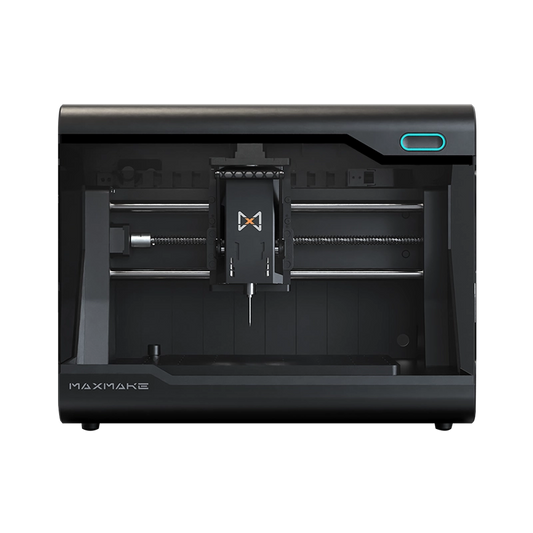
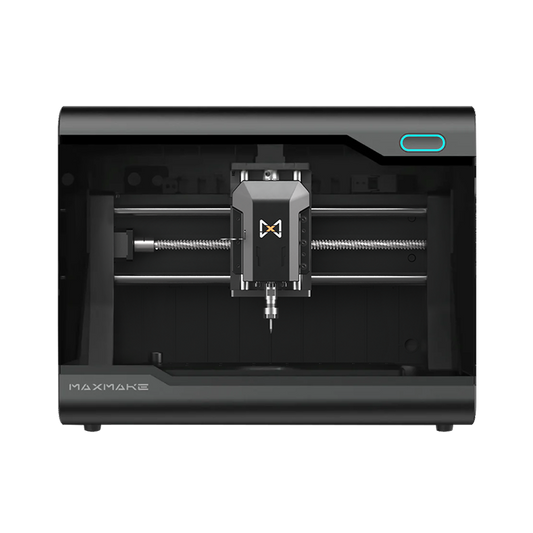
HiMill D1 Desktop CNC Machine
Connect with the MAXMAKE community
Share your projects, discover new ideas, and connect with other makers.
Join Our Community
Share projects, ask questions, connect with makers