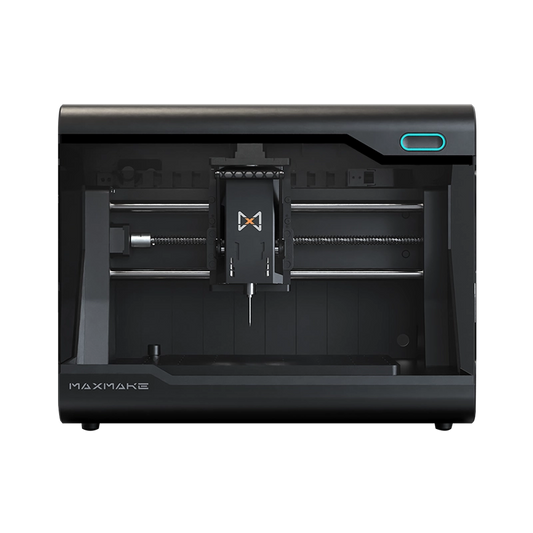
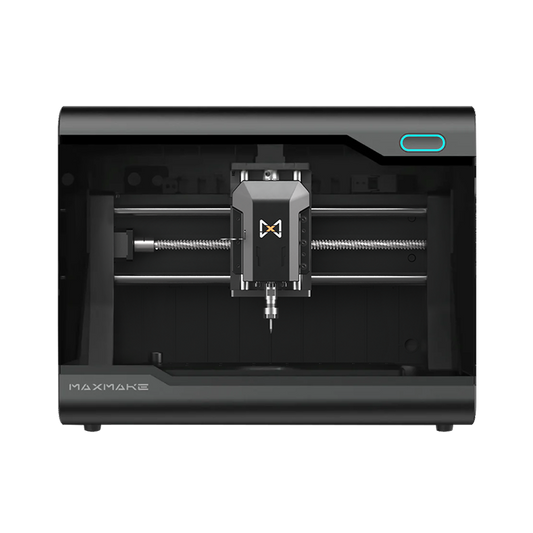
ATC vs MTC vs QTC: Which Desktop CNC Tool Changer Should You Choose?
If you're searching for the best desktop CNC tool changer, don't start with "ATC vs QTC vs MTC." What matters first is clamping quality—clamping force, runout, rigidity, and dynamic balance—because those decide accuracy, tool life, and safety long before convenience. Most CNC jobs need multiple tools: roughing, finishing, drilling, chamfering, engraving, and often probing. Tool-change speed and repeatability directly affect your machine’s real-world capability and your overall productivity.
Quick answer: MTC (manual) swaps a collet and tool in about 1–2 minutes with two wrenches, cheap but tedious. QTC (quick change) swaps a pre-set tool assembly in roughly 5–15 seconds with a lever, needs no air supply, and keeps industrial-grade clamping. ATC (automatic) changes tools in seconds, fully unattended, but requires a tool magazine, complex mechanics, and usually compressed air. For most desktop CNC makers, QTC is the sweet spot between speed, cost, and clamping rigidity.
This guide breaks down CNC tool changing from three angles:
- Physical principles of clamping: the four key metrics that determine machining safety and accuracy (clamping force, runout, rigidity, and dynamic balance).
- Spindle/tool structure dissection: how the spindle, tool holder, and collet connect.
- Three tool changing systems (MTC, ATC, QTC): a deep, side-by-side analysis of their mechanical architecture, evolution, and the pros/cons of each approach on desktop CNC.
After reading, you will have a clear engineering-level understanding of different tool changer solutions, so you can choose the one that fits your needs.
Why Change Tools? The Underlying Logic of Tool Clamping
Before diving into mechanical structure, we must clarify two basic questions:
- Why do we need to change tools during machining?
- What physical challenges must a good clamping solution overcome?
The core of multi-process machining: why tool changing is required
CNC machining rarely uses “one tool all the way.” A typical process workflow usually includes:
- Different tool diameters: Use a larger diameter flat end mill (e.g., 6mm) for efficient “roughing” to remove most of the stock, then switch to a smaller ball nose tool (e.g., 1mm) for fine 3D surface carving.
- Different tool geometries: Use a flat end mill to machine outer contours, a V-bit to engrave surface text, and finally a drill bit for vertical drilling.
- Installing a digital probe (3D Probe): before machining and/or when flipping the workpiece, the probe is mounted to detect edge coordinates or surface height so that machining reference points remain accurate.
What Makes a Good Desktop CNC Toolholding System? (Clamping Force, Runout, Rigidity, Balance)
Tool changing may look simple: remove one tool and install another. But at spindle speeds up to 20,000 RPM, the toolholding system must meet four requirements—otherwise you risk tool breakage, scrap parts, and poor surface finish.
- Clamping force: When cutting metal or hardwood, the tool experiences large lateral forces and downward pull. If clamping force is insufficient, the tool may be pulled out or pushed in, directly causing scrap or even damage to the machine.
- Runout: the tool tip deviates from the theoretical rotational center. In plain terms: does the tool "rotate truly on-center"? Excessive runout causes wavy surfaces and can instantly snap micro end mills under 1 mm in diameter due to uneven loading.
- Rigidity: the clamping system’s ability to resist geometric deformation when subjected to cutting forces. Higher rigidity leads to more stable high-speed cutting.
- Dynamic balance: at extremely high RPM, even a 1-gram imbalance in the rotating mass distribution can create serious vibration through centrifugal forces. This not only destroys machining accuracy but also quickly damages the precision bearings inside the spindle.
Takeaway: A tool changer only makes sense after you’ve solved the fundamentals—clamping force, low runout, rigidity, and balance. Convenience comes second.
The tool holder is only half of the equation. Our beginner guide to CNC router bits and tool selection explains bit geometry, materials, and how to pair each bit with the right holding setup.
Structural dissection: how the tool connects to the spindle
To understand the differences among tool changing systems, we need to dissect the connection from the inside out. The tool clamping chain includes four core components:
-
Spindle: provides rotational power. Different tool changer systems often have radically different internal spindle constructions (e.g., solid spindle shaft vs. hollow spindle that supports a drawbar mechanism).

-
Tool Holder: the “metal bridge” that connects the spindle and the collet (e.g., industrial standards like BT30/ISO20/SK40). In higher-grade tool changer systems, the tool holder becomes a separable part that can be quickly removed/installed.

-
Collet: a spring-tempered, slotted metal cone inserted into the front of the tool holder or spindle. Using the physical principle of the taper surfaces squeezing together, it shrinks and tightly wraps the tool shank.

-
Tool (Cutter): the business end that actually removes material—an end mill, drill bit, etc.

ATC vs MTC vs QTC: Differences, Pros/Cons, and Who Each One Is For
| System | What you swap | Typical change time | Infrastructure | Stability focus | Best for |
|---|---|---|---|---|---|
| MTC | Collet + tool (re-tighten with wrenches) | ~1–2 min | None | Simple, fewer parts | Budget, occasional tool changes |
| QTC | Pre-set tool assemblies (holder + collet + tool) | ~5–15 sec | None | Strong mechanical clamping + repeatability | Makers, small shops, frequent tool changes |
| ATC | Tool holders automatically via magazine | Seconds (in-cycle) | Magazine + integration (often air in industry) | Automation + repeatability (when well-built) | Production, unattended runs |
Based on differences in spindle internal mechanical architecture and the locking/unlocking method, tool changer systems can be divided into three types.
MTC (Manual Tool Change) — traditional manual tool changing
This is the default option used by over 95% of entry-level desktop CNC machines.
- Working principle: the tool holder structure is effectively integrated with the spindle’s shaft and cannot be separated. Users can only replace the front “collet + tool” portion.
- Spindle architecture: a solid spindle shaft (with an internal tapered bore at the front) + drive motor + an external nut locking mechanism (the spindle interior has no complex drawbar mechanism).
- Operation method: you must use two wrenches—one to hold the spindle shaft, the other to loosen the front nut. Then remove the old collet and tool, install the new ones, and tighten the nut firmly.

【Knowledge Expansion】 Why ER Collets Became the Industry Standard
In MTC systems, the most commonly used collet is the ER collet (e.g., ER11, ER20). Before ER collets were invented in 1973, CNC machines typically used Morse taper collets or R8 collets. These were bulky and each collet could only clamp a fixed diameter range.
ER collets have a distinctive design with two taper angles and multiple slots, enabling a single collet to provide an elastic clamping range—often about 1mm of “flex”. This design achieves both high clamping force and good concentricity (low runout), which is why ER collets became the dominant universal standard for CNC tool holding.
Pros:
- Extremely simple mechanical structure and low manufacturing cost
- Easy to maintain concentricity (fewer moving parts)
Cons:
- Very tedious and time-consuming operation (typically 1–2 minutes per tool change)
- Long-term wrench operation can wear the spindle threads
- Each tool change produces different tool stick-out length, requiring re-probing/re-alignment, breaking automated workflows
R8 collet:

ER head:

ATC (Auto Tool Change)
This is the ultimate configuration of CNC machining centers (CNC Router/Mill), aiming for continuous production without human intervention.
- Working principle: the machine automatically replaces the complete assembly of Tool Holder + Collet + Tool using mechanical arms or a moving spindle.
- Spindle architecture: a hollow spindle shaft with a standardized taper interface + drive motor + an internal mechanical drawbar mechanism.
【Decoding the drawbar mechanism】
Inside the spindle, a drawbar (pull rod) runs through the center. Above the rod are stacked Belleville disc springs. They generate large upward pulling force. Below are hardened steel balls that lock onto the tool holder. During tool change, a pneumatic or hydraulic cylinder pushes downward with force, compressing the disc springs and unlocking the tool holder.

【Desktop-level ATC evolution and compromises】
A true industrial ATC requires a powerful compressed air system. To fit desktop environments, simpler “ATC-like” implementations have emerged in recent years:
-
Compromise Solution 1 (Electric disc-spring pull tool changer):
Replace pneumatic cylinders with a motor and cam mechanism to press/compress disc springs.
Pros: no air compressor required; lower noise.
Key trade-off: when an ATC design relies on a small motor for release/clamp actuation, the available force can be limited. Some implementations may use lighter spring stacks, which can reduce clamping force margin—especially in aggressive cuts. Always evaluate measured clamping force and real-world repeatability, not just the “ATC” label.


-
Compromise Solution 2 (External pneumatic wrench / RapidChange ATC-like):
The spindle remains a basic, low-cost solid MTC spindle, but an external pneumatic impact unit is installed on the machine table corner. The spindle moves to the preset position; then a pneumatic impact device “forces” the spindle nut to be loosened/tightened via impact.
Consideration: systems that loosen/tighten a collet nut through repeated stops/impacts can introduce shock loads and accelerate wear over time. The outcome depends heavily on the specific design, spindle bearing support, and how often tool changes occur. For desktop users, it’s worth evaluating shock loads, thread wear, and long-term repeatability before choosing this approach.

ATC Pros and Cons
- Pros: extreme automation; combined with tool-length compensation, it can enable fully unattended machining.
- Cons: industrial solutions are extremely expensive, structurally complex, and require a tool magazine plus compressed air. Weight and volume are also impractical for desktop devices.
Is ATC right for you? A full ATC pays off when you run batch production, machine unattended, or switch between many tooling sets every day. For a maker or small workshop that changes tools a few times per job, the cost, footprint, and air-supply needs of an industrial ATC are usually overkill—a well-built QTC delivers most of the daily benefit at a fraction of the price. And on desktop machines, the label “ATC” alone is not a quality guarantee: always evaluate measured clamping force and repeatability, not just the name.
QTC (Quick Tool Change)
QTC is an intermediate approach between MTC and ATC. It removes the huge and expensive automated execution components of ATC (such as cylinders and tool magazines), while still retaining ATC’s most essential architecture: the taper interface and removable tool-holder concept.
- Working principle: manual action—quickly pull out and insert a pre-set tool holder assembly (holder + collet + tool).
- Spindle architecture: hollow spindle shaft + drive motor + internal mechanical drawbar mechanism.
- Drawbar mechanism: pull rod + high-fatigue-life springs (disc springs or die springs) + manual force assistance (e.g., lever handle or a push-to-release mechanism).


Why QTC Is the Best Solution for Desktop CNC
Because a desktop environment cannot accommodate massive industrial infrastructure, QTC addresses these issues through a structured semi-automatic design:
- Non-compromising clamping force: QTC is not constrained by the small thrust output of compact desktop motors. It can directly use industrial-grade high-pressure disc springs. Using a lever mechanism, the user only needs to apply modest force by hand—the lever amplifies and releases powerful spring clamping force. The result is stable clamping even in heavier cuts.
- Eliminating air supply and reducing fault points: it removes pneumatic cylinders and electromagnetic valve components with higher failure rates. A purely mechanical structure keeps the system extremely stable and nearly maintenance-free.
-
Physical quick tool changing (ending the “wrench nightmare” of MTC):
In MTC, each tool change typically requires two wrenches—holding the spindle and forcibly loosening/tightening the nut, pulling out the ER collet, replacing the tool, and then re-tightening. This usually takes 1–2 minutes and introduces human-driven micro changes in alignment.
QTC eliminates this complexity entirely: you perform a quick lever action; the old tool-holder assembly releases, and you insert the new assembly. When you release the handle, it locks securely. The physical tool change can be completed in about 3 seconds. Want to see how a QTC workflow looks step-by-step? Read our tool installation guide for HiMill D1/D1S.
QTC overall pros and cons
- Pros: single-hand tool changing in seconds; no need to configure loud compressed air systems; significantly lower manufacturing cost than ATC; inherits the precision of industrial-grade tool holders and off-machine preset advantages.
- Cons: the operator must still perform the lever action at the machine; it cannot achieve true night-time unattended operation.
Which Tool Changer Fits Your Workflow? Matching the System to Your Scenario
Looking at the evolution of tool changer systems, the essence is always finding a balance between:
- clamping rigidity
- automation level
- manufacturing cost
For users preparing to purchase a desktop CNC, you can map the system choice to your usage profile:
Comparing complete machines? See our Top Desktop CNC Machines 2026 Buying Guide to match each tool changer system with the right machine for your shop.
MTC (Manual Tool Change) — suitable for:
- users on a tight budget
- hobbyists who only change tools occasionally
- workflows dominated by single-process machining (e.g., mostly one tool, few mid-way changes)
This works if your parts are mostly wood engraving with very limited mid-process tool changes and you can tolerate manual wrench operation and repeated alignment tasks.
QTC (Quick Tool Change) — suitable for:
- advanced makers
- small workshops
- users who pursue efficiency and quality
QTC is currently the most rational “sweet spot” solution for desktop CNC. It solves the tedious dismantling and tool-length/alignment pain points, while using a mostly mechanical structure (no air supply issues). In many real workflows, QTC can deliver a better machining experience than pure MTC, and it stays more stable and maintainable than more complex ATC solutions.
Want to see QTC in action? Read our HiMill D1S review for a hands-on look at a desktop CNC built around the QTC system.
ATC (Auto Tool Change) — suitable for:
- lightweight factories
- users with scalable batch production requirements
- scenarios that require 24-hour continuous, high-intensity operation
If your machine must run for long durations, switch frequently among multiple tooling sets, and your facility has compressed air and a proper tool magazine installation environment, then industrial-grade ATC is the ultimate solution for trading capital for maximum production capacity.
Final conclusion
Choosing the right tool changer system gets your CNC projects moving faster. Once you remove the mechanical burden of tool switching, your focus can return to the creative value itself.
If your projects regularly require roughing, finishing, and drilling (and you’re tired of wrench-based tool swaps), QTC is often the most practical upgrade path for desktop CNC: fast changes, strong clamping, and a simpler system than full ATC.
Ready to try a QTC-based desktop CNC? Explore the HiMill D1S and see how quick tool change works in a real desktop machine.
FAQ: Desktop CNC Tool Changers (MTC, QTC, ATC)
Which tool changer is best for beginners?
If you’re on a tight budget and don’t change tools often, MTC is fine. If you change tools frequently and want a big workflow upgrade without complexity, QTC is usually the best “next step.”
Does a tool changer improve accuracy?
Not automatically. Accuracy depends first on clamping force, runout, rigidity, and balance. A good QTC/ATC-style interface can improve repeatability by letting you pre-set tools consistently—but only if the spindle and holders are built well.
Do I need an air compressor for ATC?
Many industrial ATC systems are pneumatic, but desktop implementations vary. Focus on measured clamping force, repeatability, and maintenance needs rather than assuming all ATC designs are the same.
What causes runout to get worse over time?
Common causes include collet wear, contamination (chips/dust) on tapers, damaged nuts/threads, overtightening, and repeated shock loading. Cleaning tapers and using quality collets help a lot.
What are the different types of CNC tool changers?
There are three main types: MTC (manual tool change) — you swap the collet and tool by hand with wrenches; QTC (quick tool change) — you swap a pre-set tool holder assembly with a lever; and ATC (automatic tool change) — the machine swaps tool holders automatically via a tool magazine. Most desktop CNCs use MTC, QTC is the growing mid-range option, and ATC is typical of industrial machining centers.
What is the difference between ATC, MTC and QTC?
The difference is who performs the change and how fast: MTC is fully manual (about 1–2 minutes, two wrenches), QTC is semi-automatic (a lever releases a pre-set holder in about 5–15 seconds), and ATC is fully automatic (seconds, via a tool magazine, often air-assisted). QTC keeps ATC-style taper clamping but removes the magazine and air system, which makes it the most practical choice for desktop CNC.

HiMill D1 Desktop CNC Machine
Connect with the MAXMAKE community
Share your projects, discover new ideas, and connect with other makers.
Join Our Community
Share projects, ask questions, connect with makers