Must-Have Desktop CNC Accessories: A Beginner’s Buying Guide
Abstract
When purchasing a desktop CNC machine, many users focus only on machine performance while overlooking the accessories that truly determine machining quality. This guide systematically explains the must-have desktop CNC accessories, including workholding systems, cutting tools, multi-size collets, 4th axis modules, laser modules, and 3D probes, and covers when to use each, what it does well, and where it falls short.
Why Desktop CNC Requires a Complete Accessory System
A desktop CNC machine is only the core component of a machining system, not the entire solution. Many beginners only realize after setting up their machine that standard accessories alone are not sufficient to complete complex or high-quality projects. Inadequate workholding can cause vibration and inaccuracies. Limited tooling options restrict what you can actually make, and without expansion modules, your capabilities are limited.
In real machining scenarios, most problems originate from accessories rather than the machine structure itself. A stable CNC setup needs the right combination of workholding, tooling, collets, and expansion modules. When these components are properly matched, the machine's full potential can be realized.
How to Choose a Desktop CNC Workholding System
Machine Vise (Recommendation: ★★★★★)
A machine vise is ideal for securing regular block-shaped materials such as aluminum blocks, plastic components, or small wooden pieces. When you need precise dimensions, a vise provides stable, even clamping force that prevents workpiece movement during cutting. For metal parts or small-batch production where repeatability is important, a machine vise is essential.
However, a vise takes up valuable table space and isn't practical for large sheets. If your projects focus mainly on flat engraving, it may not be used as frequently. Over-tightening may also deform softer materials, so it's important not to apply excessive clamping force.
For users planning to machine metal or small structural components, a machine vise is usually the preferred workholding solution.

Hold-Down Clamps (Recommendation: ★★★★★)
Hold-Down Clamps are commonly used for securing sheet materials. By clamping from the side, they keep the top surface completely accessible, which is particularly useful for engraving, contour cutting, and large-area machining.
Hold-Down Clamps are more flexible than a vise for flat workpieces. However, toolpaths must be planned carefully to avoid collisions with the clamps. Where you place the clamps matters — poor placement can lead to uneven pressure and warped material.
For users frequently working with MDF, acrylic, or aluminum sheets, hold-down clamps are an everyday essential.

Toggle Clamps (Recommendation: ★★★★☆)
Toggle Clamps are suitable for light-duty machining or when you're swapping workpieces often. They're quick to set up and convenient, which makes them great for classrooms or prototyping.
But toggle clamps aren't as rigid as vises or hold-down clamps, so don't count on them for heavy cuts or hard materials. For wood carving or light machining, they're convenience tools rather than primary workholding solutions.

Vacuum Hold-Down System (Recommendation: ★★★☆☆)
A vacuum hold-down system works well for large sheet materials or production work. By using negative pressure to secure the material, it reduces manual clamping time and keeps the machining surface unobstructed.
However, vacuum systems require flat materials and good sealing, and they cost more upfront. For beginners, this system is not essential, but for large runs or batch work, the benefits are clear.

How to Choose Cutting Tools for Desktop CNC
Cutting tools are the most critical consumables in desktop CNC machining. Different materials require different geometries and tool materials. Wood cutting requires sharp edges and good chip evacuation, while cutting aluminum requires greater rigidity and wear resistance.
Many beginners focus only on tool diameter and overlook flute count and tool geometry. But in practice, flute count and chip evacuation design directly affect surface finish and machining efficiency. Incorrect tool selection may result in burning edges, material melting, or premature tool wear.
Before purchasing tools, figure out what material you'll be cutting most and select accordingly. For a detailed tool selection guide, refer to the official guide:
👉CNC Tool Selection Complete GuideTool quality and compatibility often have a more direct impact on machining performance than machine specifications.
When people search for "how to choose desktop CNC tools", the real confusion isn't about brands — it's about which tool shape works with which material. Instead of selecting blindly by diameter, figure out your material and what you want to achieve, then pick the right flute count and tool geometry.
Expansion Modules: How to Enhance Desktop CNC Capabilities
4th Axis Module (Recommendation: ★★★★★)
A 4th axis opens up a whole new dimension in desktop CNC machining. Traditional three-axis machines are limited to flat or simple 3D surfaces, whereas a 4th axis enables rotary machining. This allows cylindrical engraving, multi-sided machining, and complex continuous 3D shapes.
In practice, the 4th axis is often used for wooden cylindrical carvings, handles, rollers, and decorative 3D components. For makers who want more creative freedom, it significantly expands machining possibilities.
However, the 4th axis requires CAM software support and you'll need to understand angular coordinate systems. Beginners without three-axis experience may face a learning curve. It is better suited for users already comfortable with toolpath generation and coordinate logic.
The benefit is clear: you can create parts that are impossible on a 3-axis machine. The trade-off is that setup takes longer and alignment needs to be more precise.

Laser Module (Recommendation: ★★★★☆)
A laser module improves efficiency and finishing quality. Unlike milling, laser engraving relies on thermal energy rather than physical cutting, making it ideal for text engraving, pattern marking, and thin material cutting.
For signage, decorative graphics, or fine details, laser modules are often more efficient than end mills. For batch engraving, they significantly reduce machining time.
However, laser modules cannot replace milling. They are suitable for surface marking rather than structural cutting. Laser modules also require appropriate safety measures, and you need to know which materials are laser-safe.
For makers who want flexibility between milling and engraving, a laser module is a practical upgrade.


3D Probe Module (Recommendation: ★★★★★)
A 3D probe saves time and improves repeatability. Traditional manual tool setting relies on the paper method or personal experience to establish zero points. While acceptable for single operations, small inaccuracies may accumulate in batch or complex machining tasks.
A probe automatically detects contact between the tool and the workpiece, quickly establishing accurate coordinate references. When you're frequently changing tools or swapping materials, it significantly reduces setup time.
For users who need consistent results, a probe ensures repeatability. It doesn't improve the machine's hardware accuracy, but it makes the entire process far more reliable. You still need to understand coordinate systems.

Overlooked but Essential Accessories
Multi-Size Collets (Recommendation: ★★★★★)
Many people don't think much about collets, but they directly affect what tools you can use. Many desktop CNC machines ship with a 3.175mm collet, while many high-performance tools use 4mm, 6mm, or 1/4-inch shanks.
Without compatible collets, even high-quality tools cannot be used. Larger diameter tools provide greater rigidity in cutting aluminum, while smaller tools are suitable for fine detail work. Having a range of collet sizes lets you tackle more types of jobs.
When purchasing cutting tools, plan collet sizes accordingly instead of waiting until compatibility becomes an issue.

Consumables (Recommendation: ★★★★★)
Consumables such as spoil boards, lubrication, spare tools, and material stock directly affect workflow continuity. Spoil boards develop tool marks over time and require resurfacing or replacement to maintain consistent cutting depth. Lubricant extends the lifespan of lead screws and linear rails. Spare tools prevent unexpected downtime.
Many beginners realize they lack necessary materials or replacement parts only when starting a project. Keeping a stock of basic consumables is essential for efficient CNC workflow.

Beginner Purchasing Strategy and Priority
Rather than purchasing all accessories at once, it makes more sense to improve your setup in stages based on what you actually need to make.
Desktop CNC Accessory Purchasing Priority Guide
| Stage | Priority Accessories | Core Objective |
|---|---|---|
| Stage 1 | Machine vise or hold-down clamps + basic cutting tools | Establish stable machining capability |
| Stage 2 | Multi-size collets + essential consumables | Improve tool compatibility and workflow continuity |
| Stage 3 | 3D probe module | Increase tool setting efficiency and repeatability |
| Stage 4 | 4th axis module or laser module | Expand machining capability and creative possibilities |
How to Understand This Staged Approach
The first stage focuses on ensuring a stable foundation for basic machining. Without reliable workholding and suitable cutting tools, your machine won't reach its full potential.
The second stage improves compatibility and keeps things running smoothly. Multi-size collets expand tool options, while consumables keep you from getting stuck mid-project.
The third stage enhances setup efficiency and repeatability.
The fourth stage is about expanding what your machine can do. A 4th axis or laser module significantly changes machining possibilities but is not mandatory for every beginner.
Conclusion: From Machine Owner to Complete CNC Ecosystem
A desktop CNC machine is only the starting point. True machining capability depends on whether a complete accessory system is in place. From workholding to tooling and expansion modules, each component plays a critical role in the machining workflow.
If you plan your purchases and build up gradually, you can ensure your desktop CNC reaches its full potential. Instead of pursuing every upgrade at once, stabilize your foundation first. Once workholding, tooling, and collets are sorted, then consider advanced modules like a 4th axis or laser. Build your system step by step, and each upgrade will deliver real value.
Frequently Asked Questions (FAQ)
Is a machine vise absolutely necessary for desktop CNC?
If your projects focus on metal or small structural components, a machine vise is pretty much essential. It provides stable and repeatable positioning for dimensional accuracy. If your work mainly involves sheet engraving or large flat cutting, you'll use hold-down clamps more frequently.
Can I start machining using only stock clamps?
Basic testing is possible, but standard clamps often do not cover all real-world situations. For stable machining, investing in proper workholding is recommended.
Should beginners purchase a 4th axis module immediately?
If your projects focus on flat engraving or simple 3D work, a 4th axis is not mandatory. It is better suited for users who already understand three-axis machining.
Can a laser module completely replace milling?
No. Laser modules are suitable for surface engraving and marking, while milling is required for structural and deep cutting operations.
Is a 3D probe really necessary?
A 3D probe improves efficiency and repeatability but does not directly increase hardware precision. It is especially useful for batch operations or frequent tool changes.
Why are multi-size collets important?
Without compatible collets, many cutting tools cannot be used. Expanding collet sizes ensures tool compatibility.
What should beginners purchase first?
Focus first on stable workholding and appropriate cutting tools. Then expand with collets and consumables. Finally upgrade with expansion modules when needed.
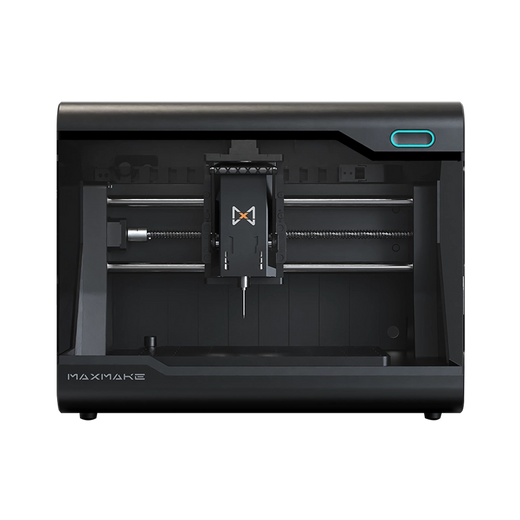
HiMill D1S Desktop-CNC-Maschine
Connect with the MAXMAKE community
Share your projects, discover new ideas, and connect with other makers.
Join Our Community
Share projects, ask questions, connect with makers