Desktop CNC vs 5 Axis CNC Machine : Do You Need Five-Axis?
1. Introduction: Desktop 5-Axis Is Hot—But Do You Really Need It?
A new wave of desktop 5-axis CNC machines has taken Kickstarter by storm, with searches for "desktop 5 axis cnc" surging by 171% in just one year. For many makers, the first instinct is: "Should I get one too?"
However, 5-axis machines are expensive and notoriously difficult to learn. Many buyers discover too late that they don't actually need the extra complexity. If you're asking yourself, "Do I need a 5-axis CNC?" this article answers that directly: when 5-axis is necessary, and when a 3-axis machine is more than enough.
Quick Answer: How to Choose?
- If your projects involve complex impellers, turbine blades, parts with deep undercuts, or organic sculptures ➡️ Choose 5-Axis CNC.
- If your projects are primarily aluminum structural parts, mechanical prototypes, wood signs, enclosures, or PCBs ➡️ Choose a High-Rigidity 3-Axis CNC.
- If you are unsure about your future needs but want room to grow ➡️ Choose a high-performance 3-axis CNC that supports 4th-axis expansion.
2. What Is a 5-Axis CNC Machine?
A standard 3-axis CNC machine operates along three linear axes: X (left/right), Y (forward/back), and Z (up/down). While powerful, it is limited because it cannot machine "undercuts" or side features without manually flipping the material and re-aligning the zero point.
A 5-axis CNC machine adds two rotational axes, typically called the A-axis (rotation around X) and the B-axis (rotation around Y).

This configuration allows the cutting tool to approach the material from virtually any angle. Its core advantage is the ability to complete complex geometries in a single setup. By rotating the part or the spindle, the machine can reach five sides of a cube or carve intricate, flowing curves that are physically impossible for a 3-axis machine to execute.
3. Why Are 5-Axis CNC Machines So Powerful?
The "Holy Grail" status of 5-axis machining comes from three specific advantages:
3.1 Machining Complex Shapes
It enables the production of complex geometries like impellers, turbine blades, and organic sculptures. These shapes require the tool to tilt to avoid collisions while maintaining contact with curved surfaces. In aerospace components, engineering prototypes, jewelry, and fine art, 5-axis is the only way to achieve these features in a single setup.
3.2 Reducing Multiple Setups
5-axis machining drastically reduces the number of setups. In a traditional workflow, machining a complex part requires stopping, flipping the part, and manually finding a new zero point. This process introduces human error. 5-axis machines eliminate this "flip," ensuring all features are perfectly aligned with the original coordinate system—resulting in higher consistency and fewer re-zeroing errors.
3.3 Better Surface Finish
5-axis machining delivers a superior surface finish. By tilting the tool, the machine can use the side of the end mill or the optimal part of a ball nose cutter, resulting in smoother paths and less post-processing. Maintaining the optimal cutting angle on curved surfaces is the core advantage of 5-axis in finishing operations.
4. Popular Desktop 5-Axis Solutions (Market Snapshot)
The following machines represent the "Kickstarter era" of desktop 5-axis CNC, designed to bring multi-axis capability in a smaller footprint. Whether you're looking for the best desktop 5-axis CNC machine or just exploring the market, this is not a ranking but an objective introduction to each option's positioning and target users. Product specifications are sourced from official brand websites and Kickstarter pages. Prices and specs may vary by region and configuration—please refer to official sources for the latest information.
4.1 IFMAKER M5
Core Selling Point: The most beginner-friendly 5-axis. It features proprietary IF CAM software, supporting one-click toolpath generation with no prior CAM experience required. Equipped with an intelligent AI voice handwheel and NearLink ultra-low latency technology, it delivers an interactive experience that stands out among desktop 5-axis machines. A 4-slot ATC and dual-cycle cooling (cutting fluid + water cooling) enable precision machining of aluminum, copper, titanium, and other metals.

| Parameter | Details |
|---|---|
| Axis Configuration | X/Y/Z + A/C 5-Axis |
| X/Y/Z Travel | 150 x 200 x 125 mm |
| A/C Axis Travel | A: -30 to 100 / C: 360 |
| Max Workpiece (5-Axis) | 110 x 95 mm |
| Spindle Power | 1.8 kW (S1) / 2.2 kW (S6) |
| Spindle Speed | 0 - 60,000 rpm |
| Positioning Accuracy | +/-0.01 mm (RTCP +/-0.06 mm) |
| ATC | 4-slot Automatic Tool Changer |
| Control System | IF CAM (One-click toolpath) + AI Voice Handwheel |
| Cooling System | Dual-cycle: Cutting fluid + Water cooling |
| Machine Weight | 135 kg |
| Dimensions | 815 x 570 x 800 mm |
| Materials | Titanium, Aluminum, Brass, Copper, 303 Stainless, Jade, Wood, Acrylic, etc. |
4.2 Xhorse3D Xmachine WM-100
Core Selling Point: The closest to industrial-grade on a desktop. It runs the proprietary XMachine-NCS control system, supporting RTCP, 3+2 positioning, and 6-DOF error compensation. Its biggest highlight is the wireless probe for automatic centering and fully automatic axis calibration (which restores accuracy within 5 minutes). Combined with a concealed 6-tool ATC that unfolds during tool changes and retracts during machining, it brings industrial machining center workflows to the desktop. The A-axis uses a harmonic reducer and the C-axis uses a direct-drive motor, ensuring precision and responsiveness.

| Parameter | Details |
|---|---|
| Axis Configuration | X/Y/Z + A/C 5-Axis |
| X/Y/Z Travel | 156 x 203 x 125 mm |
| A/C Axis Travel | A: -30 to 110 / C: 360 |
| Max Workpiece | 100 x 100 x 100 mm |
| Spindle Power | 2.2 kW |
| Spindle Speed | 20,000 rpm |
| Tool Setting Accuracy | 5 microns |
| ATC | 6-tool Concealed Automatic Tool Changer |
| Control System | XMachine-NCS (RTCP + 3+2 + Error Compensation) |
| Key Features | Wireless Probe Auto-centering, Full-auto Axis Calibration, 10-inch Touchscreen |
| Cooling System | Air cooling |
| Machine Weight | Approx. 130 kg |
| Dimensions | 797 x 614 x 580 mm |
4.3 InfiMaker K1
Core Selling Point: AI-driven full-process 5-axis. Equipped with the Motinfi™ intelligent control system and InfiStudio cross-platform software (Win/Mac/Android/iOS), it supports generating 3D models and 5-axis toolpaths directly from text or images—no CAD required. Its vertical machine architecture and monoblock cast bed provide exceptional rigidity. The 6-slot ATC integrates a probe, supporting one-tap auto-calibration, tool wear monitoring, and breakpoint recovery. With a working travel of 220x160x180mm, it is the largest in its class—nearly double the working volume of comparable desktop 5-axis machines.

| Parameter | Details |
|---|---|
| Axis Configuration | X/Y/Z + B/C 5-Axis |
| X/Y/Z Travel | 220 x 160 x 180 mm |
| B/C Axis Travel | B: -30 to +110 / C: 360 |
| Max Workpiece (5-Axis) | 120 x 120 x 120 mm |
| Max Workpiece (3-Axis) | 220 x 150 x 150 mm |
| Spindle Power | 1.5 kW |
| Spindle Speed | 20,000 rpm |
| Repeatability | 0.01 mm (B/C Axis 40 arcsec) |
| ATC | 6-tool ATC (Integrated Probe) |
| Control System | Motinfi™ System + InfiStudio (Cross-platform) |
| Key Features | AI Text/Image to 3D+CAM, Depth Camera, Material ID, Resume from Breakpoint, Tool Wear Monitoring |
| Structure | Vertical architecture + Monoblock cast bed |
| Machine Weight | Approx. 110 kg |
| Dimensions | 560 x 690 x 800 mm |
4.4 TOPFAB TF500
Core Selling Point: The highest precision desktop 5-axis. It offers positioning accuracy of +/-0.005mm, spindle speeds up to 60,000 rpm, an 8-slot ATC (the most among all four machines), and weighs only 75 kg (the lightest of the group). Its AI-CNC system generates 3D models and 5-axis toolpaths from a simple photo, with a 7-inch touchscreen as intuitive as a tablet. Semiconductor cooling makes it ideal for jewelry, dental, and precision micro-machining. The parent company is HKEX-listed (07688.HK).

| Parameter | Details |
|---|---|
| Axis Configuration | X/Y/Z + A/C 5-Axis |
| X/Y/Z Travel | 130 x 170 x 120 mm |
| A/C Axis Travel | A: -110 to 110 / C: 360 |
| Max Workpiece | 120 x 100 mm |
| Spindle Torque | 0.1 Nm |
| Spindle Speed | 60,000 rpm |
| Positioning Accuracy | +/-0.005 mm (A/C Axis +/-10 arcsec) |
| Repeatability | 0.005 mm (A/C Axis 5 arcsec) |
| ATC | 8-tool Automatic Tool Changer |
| Control System | AI-CNC (Photo to 3D+Toolpath) + 7-inch Touchscreen |
| Cooling System | Semiconductor cooling |
| Machine Weight | 75 kg |
| Dimensions | 600 x 500 x 500 mm |
5. The Reality of Desktop 5-Axis CNC: Challenges Behind the Hype
Before investing, you must understand the "hidden" challenges rarely shown in flashy crowdfunding videos.
5.1 Learning Curve: Traditional Barriers vs. AI Empowerment
Traditional 5-axis machining has a notoriously steep learning curve. Unlike 3-axis, which only manages X/Y/Z coordinates, 5-axis involves tool vector control and collision zone management—mastering 3-axis might take a week, while traditional 5-axis typically requires months. Professional CAM software like Fusion 360 or Mastercam has a much higher barrier to entry than beginner tools like Carbide Create or Easel, and toolpath planning requires deeper machining expertise.
However, this generation of desktop 5-axis machines comes standard with AI-assisted features—from one-click toolpath generation to text/photo-to-3D model and toolpath generation—aiming to compress the learning cycle from months to days. But most products are still in the crowdfunding phase, and their real-world effectiveness remains to be verified post-launch.
5.2 Smaller Working Envelope
To fit five axes on a desk, manufacturers must make sacrifices. Most desktop 5-axis mills have a tiny working area—often less than 150mm. Because the part sits on a rotating trunnion or tilting head, rigidity is generally lower than that of a fixed 3-axis machine. This means they excel at light, multi-pass machining of small precision parts, but are not suited for aggressive material removal from large aluminum stock.
| Project Type | Desktop 3-Axis Workspace | Desktop 5-Axis Workspace |
|---|---|---|
| Woodworking/Furniture | ✅ 300x300mm+ | ❌ Usually <150mm |
| Aluminum Parts | ✅ 200x200mm | ⚠️ Limited by 5-axis mode |
| Fine Jewelry | ⚠️ Possible but needs jigs | ✅ One-setup completion |
5.3 Higher Total Cost of Ownership (TCO)
Basic CNC software like Easel or Carbide Create cannot handle 5-axis toolpaths. You will need professional CAM software like Fusion 360 (with paid extensions) or Mastercam, costing $500 to $2,000 per year—a significant ongoing expense that hobbyists often overlook. The machine is only half the cost—CAM software, tooling, and learning time make up the other half. Total cost of ownership is often higher than beginners expect.
| Tier | Price Range | Representative Solution | Best For |
|---|---|---|---|
| Entry 3-Axis | $150 - $1,500 | 3018-class / Genmitsu | Beginner woodworking |
| Mid-range 3-Axis | $1,000 - $5,000 | HiMill D1S | Aluminum + Wood; practical choice |
| Entry 5-Axis | $5,000 - $8,000 | IFMAKER M5 / InfiMaker K1 | 5-axis experience/education |
| Pro 5-Axis | $8,000 - $15,000+ | Xhorse3D / Pocket NC | Small-batch production |
| Industrial 5-Axis | $50,000+ | DMG Mori / Haas | Professional manufacturing |
6. Desktop CNC vs 5-Axis CNC: The Decision Matrix
When weighing 5-axis CNC vs 3-axis CNC, which machine should you choose? Use the table below to align your projects with the correct axis count.
| Application | Recommended | Practical Reason |
|---|---|---|
Woodworking & Signs
|
3-Axis | You only need a large working area and 2.5D paths. |
Aluminum Brackets/Structural Parts
|
3-Axis | Cheaper, faster, and more rigid. |
Precision PCBs
|
3-Axis | High-speed drilling doesn't require rotation. |
Large Panel Cutting
|
3-Axis | Working area is more important than axis count. |
Complex Sculptures
|
5-Axis | A 3-axis machine cannot reach all angles. |
Impellers & Turbines
|
5-Axis | Complex vane curves require simultaneous movement. |
Aerospace Components
|
5-Axis | High precision; multi-angle simultaneous machining required. |
Jewelry & Fine Sculptures
|
5-Axis | Parts require fine detail from multiple angles. |
Micro-Prototyping
|
5-Axis | Single-setup accuracy is critical for tiny parts. |
"Do You Need 5-Axis?" Checklist:
✅ You need 5-axis if:
- You regularly machine complex curved surfaces (impellers, blades, sculptures)
- You require high-precision multi-sided parts in one setup
- You work with aerospace or medical-grade components
- You are willing to invest 2-6 months learning 5-axis CAM
❌ You don't need 5-axis if:
- You mainly do flat engraving, signage, or panel cutting
- You machine aluminum brackets, flanges, or enclosures
- You focus on woodworking (furniture, decorations, toys)
- You are just starting with CNC and learning G-code basics
7. The Pragmatic Middle Ground: HiMill D1S
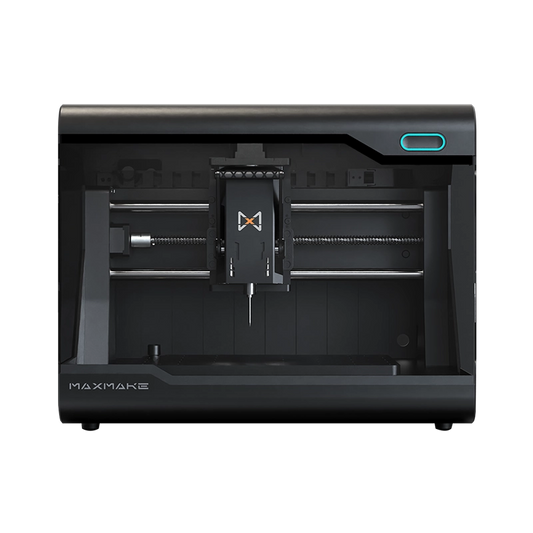
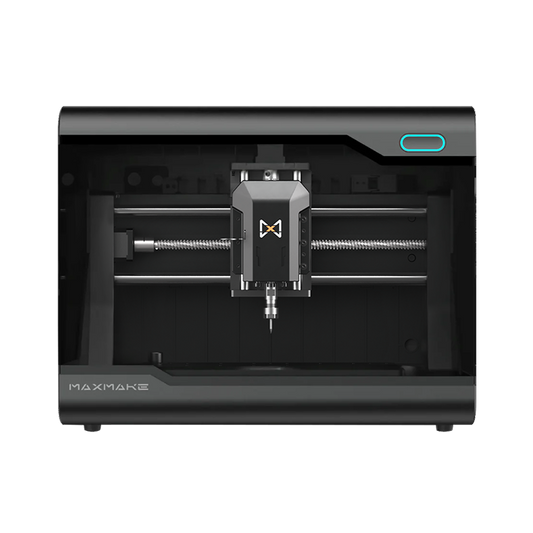
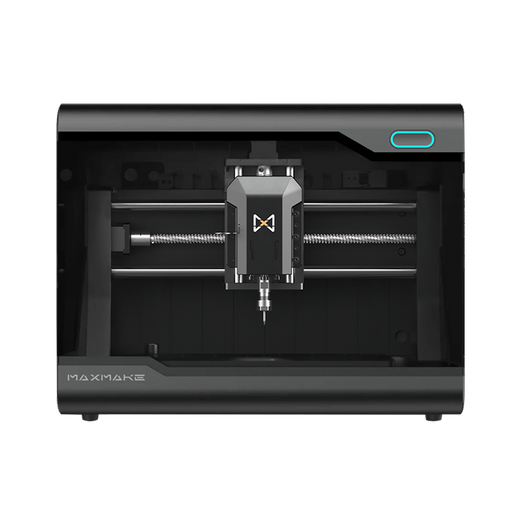
For 90% of makers, the most rational path isn't a $5,000 micro 5-axis machine; it is a high-performance, high-rigidity 3-axis machine that supports expansion. This is where the MAXMAKE HiMill D1S fits in the ecosystem. It isn't a 5-axis machine—and that is exactly the point: most users don't need one yet.
HiMill D1S offers what beginners and prosumers actually need:
- Larger working area (280x200mm), far exceeding typical desktop 5-axis machines
- Real aluminum machining capability (6061 aluminum, brass)
- High precision (+/-0.02mm repeatability)
- Gentler learning curve (start with Carbide Create or Fusion 360)
- Better value ($1,299 vs $3,000-$8,000 for entry-level 5-axis)
- Rotary axis expansion—start with 3-axis, add a 4th-axis module when needed


Instead of struggling with the 5-axis learning curve, the D1S lets you master the fundamentals of feeds, speeds, and workholding. If you eventually need rotary machining capability, you can add a 4th-axis module. This "3+1" approach covers nearly all mechanical prototyping needs at a fraction of the cost and complexity of a full 5-axis system.
8. Frequently Asked Questions (FAQ)
What is a 5-axis CNC machine?
A 5-axis CNC machine adds two rotational axes (A/B) to the standard linear X/Y/Z axes, allowing the tool to approach the workpiece from more angles, reducing machining blind spots and the need for manual flipping.
Do I really need 5-axis?
It depends on your project. If your work involves primarily 2D/2.5D flat machining, aluminum brackets, or wood signs, 3-axis is sufficient. 5-axis is only necessary when your parts involve complex curved surfaces, undercuts, or require high-precision multi-sided machining in a single setup. See the Decision Matrix.
What is the difference between 3-axis and 5-axis?
The core difference is rotational axes. 3-axis only has X/Y/Z linear movement—machining side features requires flipping and re-fixturing the part. 5-axis adds A/B rotational axes, enabling multi-angle machining in a single setup, reducing setup errors and improving the ability to machine complex surfaces.
Can a desktop CNC do 5-axis?
Yes, but with limitations. Desktop 5-axis machines typically have very small working envelopes (under 150mm) and lower rigidity than similarly priced 3-axis machines. They are suited for light finishing of small precision parts, not for large workpieces or heavy roughing operations.
How much does 5-axis cost?
Desktop 5-axis typically ranges from $3,000 to $15,000+, while industrial 5-axis starts at $50,000+. But the machine is only half the cost—CAM software ($500-$2,000/year), tooling, and learning time make up the other half. Total cost of ownership is often higher than beginners expect.
What can 5-axis CNC do?
Impellers, turbine blades, jewelry, complex molds, organic sculptures, and aerospace prototypes—parts that require multi-angle simultaneous machining or precise tool orientation on complex surfaces are the core application areas of 5-axis.
Is 5-axis CNC hard to learn?
Yes. While 3-axis typically takes 1-2 weeks to pick up, 5-axis requires 2-6 months of focused study. You're not just managing coordinates—you also need to manage tool vectors, collision zones, and post-processor configurations. The complexity of CAM software is the biggest learning barrier.
9. Conclusion: Choose Workflow over Specs
5-axis machines are engineering marvels, and the Kickstarter boom is making them more accessible than ever. However, "more axes" does not equal "better machining." The best machine depends on your specific projects, materials, budget, and experience.
If your goal is to build real mechanical parts, master the craft of CNC, and maintain high material removal efficiency, a high-rigidity 3-axis machine like the HiMill D1S is the most practical and efficient starting point. Pay the 5-axis premium only when your geometry physically requires simultaneous rotation. Let the machine serve your workflow—not the other way around.
Explore the HiMill D1S — The New Standard for Desktop Aluminum Milling
HiMill D1 Desktop-CNC-Maschine
Connect with the MAXMAKE community
Share your projects, discover new ideas, and connect with other makers.
Join Our Community
Share projects, ask questions, connect with makers