【CNC + Laser Dual Mode】One Machine, Two Ways! DIY Custom Metal & Wood Tags for Your Fur Baby with HiMill D1S 🐾🐶
Store-Bought Pet Tags Are Boring! DIY Custom Metal vs. Wood Tags with HiMill D1S!
Are the pet tags you buy in stores too generic for your taste? Plus, the engraving always seems to wear off way too fast. As a maker and a proud "pawrent," I knew I had to take matters into my own hands!
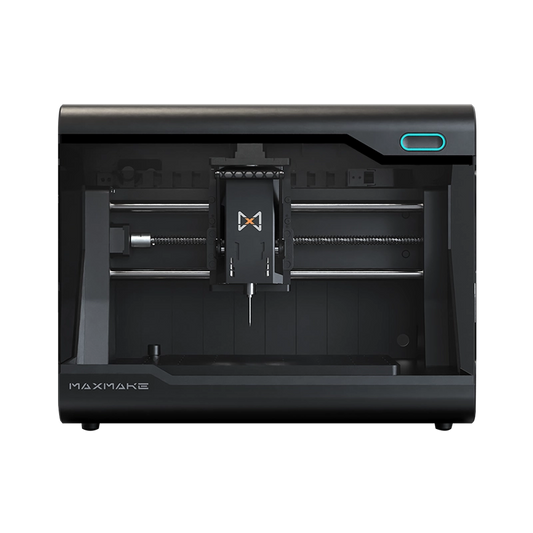
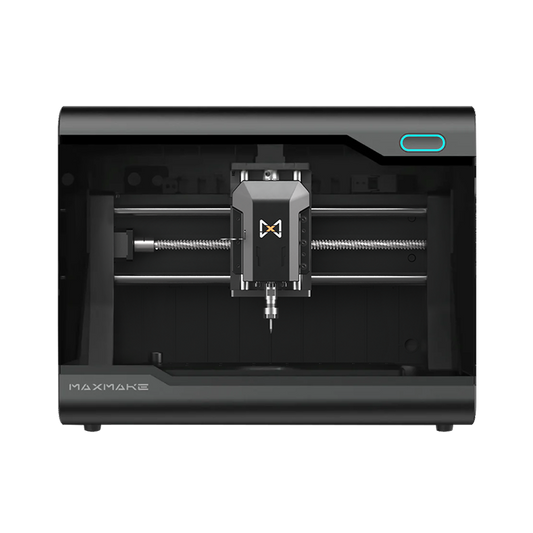
Today, I’m firing up my HiMill D1S desktop machine to demonstrate two distinct manufacturing techniques—CNC Milling and Laser Cutting—to create two totally different custom ID tags for my Border Collie, Max. It's a showdown between a hardcore aluminum red cat paw and an artsy, rustic laser-cut wooden bone.
Let’s see which style wins his heart!
🛠️ Project Overview
- Project Name Exclusive Fur Baby Custom ID Tags (Dual Material Build)
- Equipment Used HiMill D1S Desktop CNC (Spindle Mode + Laser Module Mode)
- Finished Function Anti-lost ID, collar accessory.
- Difficulty Level ⭐⭐⭐ (Master two fabrication logics in one go!)
Bill of Materials (BOM):
- Style A (Metal): Aluminum Hollowed-out Epoxy Cat Paw (CNC Milling Process)
- Style B (Wood): Laser Engraved Bone Tag (Laser Engraving + Cutting Process)
🥊 Round 1: Hardcore Metal Vibe —— Aluminum Cat Paw Tag (CNC Milling)
As a pup who loves rolling around in the grass daily, Max needs a tag that is tough, durable, and waterproof.
1. Prep & Design
- Material: 6061 Aluminum sheet stock (3mm thick * 60mm * 60mm).
- Tooling: Essential for aluminum: A 3.175mm (1/8") Single Flute Spiral End Mill (offers excellent chip evacuation and prevents material build-up on the cutter).
- Design: A cat paw outline. The center "paw pads" are designated for a "Pocketing" operation to create recessed space for color filling. Includes a 5.5mm lanyard hole.

2. CNC CAM Settings
When milling aluminum on a desktop machine, stability is paramount:
- Spindle Speed 13,000 RPM
- Pocketing & Cutting Feed Rate 200 mm/min
- Depth of Cut (Stepdown) 0.1mm per pass (Sticking to the "shallow depth, fast passes" strategy).


3. Post-Processing: The Soul of Epoxy
Fresh off the machine, the aluminum tag is plain silver. To achieve the premium texture seen in the photo:
- Sanding/Deburring: Use fine-grit sandpaper to round edges so they won't scratch your dog.
- Color Filling: Drop red UV resin (or acrylic paint) into the recessed paw pad pockets.
- Curing: Cure with a UV lamp for a few minutes. Once cured, the surface is crystal clear. The red-on-silver contrast looks incredibly sharp!

🥊 Round 2: Artsy Rustic Vibe —— Wooden Laser Bone Tag (Laser Engraving)
Next up, let's swap the "weapon" on the HiMill D1S and try something lightweight.
1. Module Switch & Prep
- Transformation: Install the 10W Laser Module on the HiMill D1S. It’s a 2-in-1 machine that instantly turns your desktop into a laser studio.
- Material: 3mm Basswood plywood or Walnut. To prevent laser scorching (charring) on the wood surface, pre-apply a layer of masking tape (painter's tape).
2. Laser Parameters (LightBurn Settings)
This bone tag involves two steps: first engraving the text, then cutting the outer shape.
Layer 1: Engrave (Fill) - Name & Phone Number
- Power 60%
- Speed 30 mm/s
Layer 2: Cut (Line) - Bone Outline
- Power 95%
- Speed 5 mm/s

3. Instant Results
With the faint scent of burnt wood in the air, the laser finishes the job quickly. Peel off the surface masking tape to reveal a vintage-style wooden tag with deep, dark engravings and caramelized edges—absolutely no sanding required!
🎉 The Final Showdown: Which Do You Choose?
We attached the necessary hardware and let Max try them on!
- 🦴 Wooden Bone Tag: Super lightweight and virtually silent when worn. It's perfect for indoor use or quiet environments. The rustic wood grain matches his fur perfectly.
- 🐾 Aluminum Cat Paw Tag: Has a nice, heavy premium feel. It's waterproof and scratch-resistant. The metal edges sparkle in the sun—great for outdoor adventures.
This project perfectly validates the versatility of the HiMill D1S. From aluminum micro-milling requiring rigidity to precise wood laser engraving and cutting—one machine, two modules, job done.
What’s your fur baby's name? Do you prefer the metal vibe or the wooden look? Let me know in the comments below, or download the free files and make your own!

📥 Download The Files
Get the Aluminum Cat Paw STL / DXF Milling Files and start making!
Download via Google Drive
HiMill D1 Desktop CNC Machine
Connect with the MAXMAKE community
Share your projects, discover new ideas, and connect with other makers.
Join Our Community
Share projects, ask questions, connect with makers