How to Choose a Desktop CNC: 10-Point Buying Checklist (2026)
Buying a desktop CNC comes down to three questions: Will it hold precision over time? Does it fit your actual work? Is it safe and easy to live with?
Whether you're a hardcore maker, a prototype designer, or running a small shop — buying the wrong machine means wasted money, broken bits, scrapped parts, and endless headaches.To help you avoid the pitfalls, here are the 10 factors that actually matter when choosing a desktop CNC in 2026.
Quick answer: choose by matching the machine to your material and workflow — a wood-and-acrylic beginner and a part-time aluminum machinist need very different machines. Work through the 10-point checklist below (working area, frame rigidity, drive system, spindle power, control system, tool changing, collet system, safety, dust collection, expandability) before comparing prices.
Working Area (Effective XYZ Travel)
Working area is the first hard filter when choosing a machine. It directly dictates the size and complexity of the pieces you can machine, as well as your workflow efficiency.
Analysis of Common Market Sizes & Real-World Usability:


The Underlying Logic: A lack of X and Y travel can sometimes be compensated for by tiling/splitting the job, but Z-axis height is an irreversible bottleneck. If the Z-axis is less than 60mm, you will have almost no room for deep cavity clearing or 3D relief carving once you clamp down a 30–50mm thick workpiece. A Z-axis of 80mm or more provides ample tool retraction space and is mandatory for complex 3D machining.
Recommendation for Home/Studio Use: Prioritize machines with an effective travel of 260–320mm (X) × 190–230mm (Y) × 70–90mm (Z). This range strikes the best balance between practicality, rigidity, desktop footprint, and price. Going smaller restricts your creativity, while going larger makes it easy to fall into rigidity and cost traps.
Frame Rigidity & Structural Stability: The Foundation of Precision
Rigidity is the lifeblood of a CNC. Without enough rigidity, you get vibration, tool chatter, surface ripples, lost steps — and permanent damage to precision.
In-Depth Comparison of Three Mainstream Frames:


Buying Conclusion: For home and small studio use, one-piece cast aluminum machines are highly recommended. When buying, look at the base thickness and gantry span; a weight over 35kg is usually a good indicator of solid rigidity.
Drive System & Motor Selection
The drive system converts the rotational motion of the motors into precise linear movement of the tool head. It directly dictates the machine's backlash, repeatability, motion smoothness, and long-term reliability. This is what separates toy-grade from tool-grade desktop CNCs.
In-Depth Analysis of Precision Issues Caused by Screw Types:
The screw is the core of the drive system. Its precision directly affects the final machining quality. Backlash is the most critical issue—when the motor reverses direction, mechanical play between the screw and the nut causes the actual tool movement to differ from the commanded distance.
The Real-World Consequences of Poor Precision:
- Multi-pass 3D Carving: You'll see "steps" or "shifts" every time the direction changes. Visible seams in relief surfaces.
- Precision Holes & Mating Parts: Hole diameters vary, parts won't fit together, and tolerances frequently exceed ±0.1mm, scrapping the entire part.
- PCB Milling: Trace widths become uneven, leading to shorts, breaks, or signal interference.
- Bi-directional Contour Machining: The tool path doesn't align when moving back and forth, creating "ghosting" or dimensional errors.
- Long-term Use: Precision permanently degrades. After 6–12 months, an initial ±0.05mm error can worsen to over ±0.15mm.

Actual Advantage: If you command the tool to move left 10mm and then right 10mm, it will return almost perfectly to absolute zero. This guarantees reliable multi-pass machining, precision drilling, and mirrored carving. Precision degrades incredibly slowly over time, maintaining ±0.01mm levels even after a year of use.

Motor Comparison:


Recommended Combo: High-precision Ball Screws + NEMA 23 Stepper Motors (Servos add too much cost for typical desktop use). This setup hits the sweet spot for precision, cost, reliability, and lifespan. For precise prototypes or metal machining, ball screws are not a luxury—they are a necessity to avoid scrapped parts and rework.
Spindle Power, Speed & Cooling Method
The spindle is the "heart" of the CNC. Its power, motor type (brushed/brushless), and cooling method (air/water) directly determine what materials you can cut, surface finish quality, noise levels, and long-term stability.
Power Range Comparison:
| Power Output | Performance Characteristics | Best Suited For |
|---|---|---|
| Under 100W | Very weak. Strictly for light surface engraving. Cannot handle bulk material removal. | Soft plastics, basic PCBs, foam. |
| 150–300W | Adequate for engraving and light routing. Struggles with deep profiling or dense materials. | Softwood, acrylic, PCBs, very light aluminum passes. |
| 500–800W | The desktop "sweet spot." Fully capable of continuous milling without bogging down. | Acrylic, hardwoods, aluminum alloys, brass. |
| Over 1000W | Extremely powerful. Requires heavy-duty gantry frames. Increases desktop noise and cost significantly. | Hard metals, industrial batch production. |


Brushless vs. Brushed Motors:


Air-Cooled vs. Water-Cooled:


Control System & Software Compatibility
The control system is the brain of the CNC. It affects not only ease of use, stability, and expandability, but also directly dictates machining success rates and long-term user experience. A good control system can significantly reduce scrap rates and boost workflow efficiency; a poor system can lead to frequent disconnects, lost steps, UI lag, and even safety hazards.
Desktop/Entry-Level CNC Control System Deep Comparison:
Other Industrial Control Systems (For Reference):
Why Choose GRBL or GRBLHAL?
Desktop CNC users usually aim for "adequate power, stability, ease of use, and low cost." GRBL hits all these marks: ultra-light firmware (low resource consumption), free/open-source, compatible with the vast majority of CAD/CAM software, easy tuning, and massive community tutorials. GRBLHAL further optimizes hardware compatibility and advanced features (such as better PWM spindle control and probe support), drastically enhancing expandability while remaining lightweight.
Benefits of a Good Control System: High machining stability, low lost-step rate, good precision retention; smooth operation supporting Wi-Fi/USB/Offline connections; robust software ecosystem (seamlessly interfaces with Fusion 360, Aspire); convenient diagnostics with real-time alarms/recovery; long-term firmware upgradability.
Consequences of a Bad System: Frequent disconnects/lag causing ruined jobs and broken bits; poor real-time performance leading to lost steps during high-speed runs; outdated UI with a steep learning curve; weak aftermarket support; poor expandability for future modules.
Control System Comparison Table
| Control System | Type | Pros | Cons | Target Equipment | Best For |
|---|---|---|---|---|---|
| GRBL / GRBLHAL | Open-source firmware | Free, lightweight, stable, rich community resources, easy to learn. | Advanced features require secondary development. | Desktop, DIY, Entry-level CNCs | Top choice for DIY / Small Studios |
| Mach3 | Windows software | Friendly UI, rich plugins, mature features. | Mediocre real-time performance, relies on legacy platforms, occasional lost steps. | Entry to mid-range desktop CNCs | Windows users, Second choice |
| Weihong NK105 / Syntec 10A / KND K1000 | Standalone commercial controller | Strong offline capability, intuitive panel, excellent stability. | Higher cost, poor openness, difficult secondary development. | Small commercial desktop CNCs | Entry commercial, Small batch production |
| LinuxCNC | Industrial open-source | Extremely powerful, high real-time capability, excellent controllability. | Complex setup, steep learning curve, high hardware demands. | Mid-to-high-end retrofits / Industrial desktop machines | Pro users, High-complexity machining |
| FluidNC | Modern embedded firmware | Excellent Wi-Fi, modern Web UI, good expandability. | Relatively new, community still growing. | New-gen desktop CNCs supporting ESP32 | Users seeking wireless & modern UI |
Mini Summary: Desktop CNC equipment (especially DIY and small studio levels) generally prioritizes GRBL / GRBLHAL. It achieves the best balance in performance, cost, ease of use, and community support. Commercial entry users may consider integrated controllers (like NK105 series), while hardcore players seeking ultimate functionality turn to industrial solutions like LinuxCNC. A good control system allows you to focus on creativity and machining, rather than fighting system bugs and compatibility issues.
Software Compatibility Note: Prioritize systems that support professional CAM software like Fusion 360, Aspire, VCarve, SolidWorks, while also including a simplified proprietary UI. This ensures both professional depth and rapid onboarding for beginners.
Tool Changing Structure & Collet System
Tool change efficiency and clamping stability directly impact your machining experience and tool lifespan.
Cutting tools matter as much as the machine itself. If you are new to tool selection, read our CNC Router Bits Guide before stocking up.
Types of Tool Changing Mechanisms:


Collet System Deep Dive: The 6mm Upgrade Kit
A standard 3.175mm (1/8") collet is versatile but lacks rigidity. The core value of a 6mm Collet Upgrade Kit is the "permanent main collet + adapter sleeve" concept.


Other Collet Types:


Safety Protection Design: The Bottom Line for Home Use
Desktop CNCs involve high-speed rotating cutters and electrical systems; safety protection can never be compromised. Here are the items that must be evaluated individually when making a professional purchase in 2026:
Buying Recommendation: For home use, you must choose a model equipped with at least a full enclosure, door interlocks, E-stop, leakage protection, and power-loss recovery. The more complete the safety configuration, the greater the peace of mind during long-term use.
Dust Collection System: Key to Machine Lifespan and Environment
Milling inevitably generates massive amounts of dust and chips. If unmanaged, wood, plastic, and metal powder will seep into the guide rails and lead screws, mixing with lubricating grease to form an abrasive paste. This degrades precision by 0.02–0.05mm per month and cuts the equipment's lifespan by over 50%.
Three Main Dust Collection Systems:
Pros: Compact structure, the dust shoe follows the spindle movement (magnetic or linked design), high suction efficiency, vacuuming 85–95% of dust directly at the cutting source ("clean as it cuts"). Takes up no extra space.
Cons: Suction power is limited by the machine's internal volume; filtration of ultra-fine dust is average.

Pros: Connects to shop vacs or professional extractors. Massive suction, high filtration precision (can add HEPA filters).
Cons: Requires bulky external hoses, limits mobility, takes up desk space.
Best For: Users sensitive to dust or frequently cutting hard wood/aluminum.

Pros: One massive system for multiple machines, strongest suction, suitable for workshop-level use.
Cons: Complex to install, expensive, suction drops over long pipes. Not for single desktop CNCs.

Dry vs. Wet Systems:


Maintenance Convenience & Long-Term Reliability
A good desktop CNC should be "lazy-friendly." Maintenance costs directly dictate the machine's actual performance 1-2 years down the line.
Deep Analysis of Core Maintenance Points:
The Consequences of Poor Maintenance Design: Precision degrades rapidly from a factory ±0.02mm to over ±0.1mm, tool life shortens by 40%, bit breakage frequency rises, and major repairs might be needed after six months. Equipment that is convenient to maintain, however, can extend its high-precision retention period by more than 3 times.
Buying Recommendation: Prioritize models with rail protection, easy-to-grease screws, quick-release collets, and zero blind spots for cleaning. This isn't just "nice to have" — it's what decides whether your machine gets better with age.
Expandability & Modular Design
The best desktop CNC is not a disposable tool, but a growing machining platform. It should reserve standardized ports to support the following common expansion modules:


Buying Recommendation: Prioritize machines that are engineered from day one with standard expansion ports and power interfaces ready to go. This way, you buy a basic machine today and grow it into a multi-functional machining center over time — extending its life and ROI.
Final Summary: What is the Conclusion on Buying a Desktop CNC?
The key to buying a desktop CNC is thinking in cause and effect:
When you cross-reference these 10 points against a machine's actual structural design and system implementation, the "flashy numbers" on a spec sheet stop mattering. You'll know the answer: Can this machine deliver good results with YOUR materials, YOUR process, and YOUR workload?
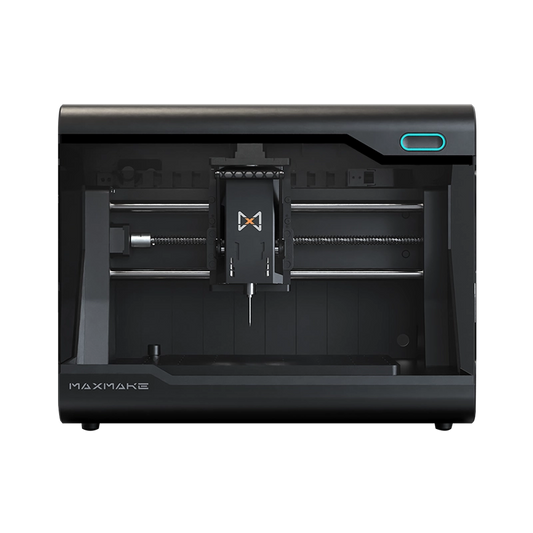
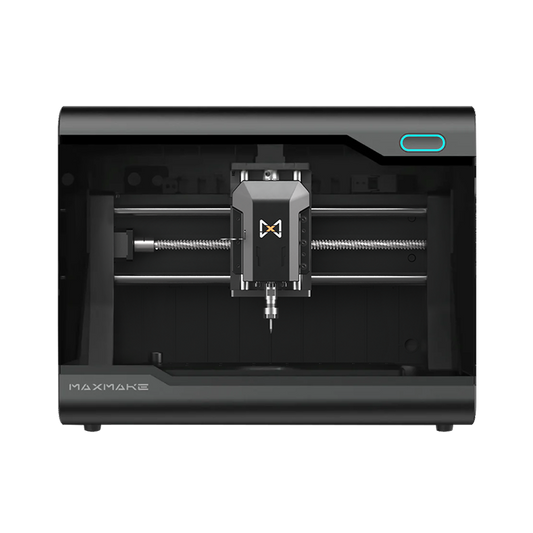
Want to see how specific machines compare on these specs? Check our Best Desktop CNC Machines in 2026 roundup, or compare HiMill D1 vs D1S if you are deciding between two MAXMAKE models.
FAQ: Desktop CNC Buying Guide
What is a desktop CNC machine?
A desktop CNC is a computer-controlled milling machine that fits on a workbench. It moves a spindle along three axes (X, Y, Z) to cut, carve, and drill wood, acrylic, aluminum, PCB, and other materials from a digital design, following toolpaths generated by CAM software.
What should I look for when buying a desktop CNC?
Work through the 10-point checklist in this guide: working area, frame rigidity, drive system, spindle power, control system, tool changing, collet system, safety, dust collection, and expandability. Frame rigidity and drive system have the biggest impact on long-term precision.
How big a working area do I need?
Match the working area to your typical largest part and leave room for clamps. A 300×300 mm table covers most hobby projects; bigger machines (300×300 to 400×400 mm) suit woodworkers with small batch needs but cost more and are harder to keep rigid.
What spindle power do I need for aluminum?
Aluminum needs sustained power and rigidity. On a desktop CNC, a 500–800 W spindle with a proper collet system and a rigid frame is a common starting point — but overall frame stiffness matters more than the power number alone.
Is a desktop CNC worth it for beginners?
Yes — it is the most direct way to learn CAD, CAM, and real machining without the cost or space of a full-size mill. Start with wood and acrylic, then move to aluminum as your feeds and speeds improve.
Explore the MAXMAKE Wiki
Want to learn more CNC industry knowledge, troubleshooting tips, and advanced machining parameters? Check out our official Wiki!

HiMill D1 Desktop CNC Machine
Connect with the MAXMAKE community
Share your projects, discover new ideas, and connect with other makers.
Join Our Community
Share projects, ask questions, connect with makers